

SHAREit APK 6.26.98_ww (MOD/Premium)

Advertisement
SHAREit APK is a high-speed file sharing app that lets you transfer photos, videos, music, documents, and apps without using the internet or mobile data. It works through direct device-to-device connections, making file transfers fast, stable, and convenient in both online and offline situations. SHAREit APK is suitable for everyday sharing, large file transfers, and quick data migration between devices.
Information of SHAREit
| Name | SHAREit |
|---|---|
| Updated | |
| Compatible with | Android 4.1+ |
| Last version | 6.26.98_ww |
| Size | 70.80 Mb |
| Category | Tools |
| Developer | Smart Media4U Technology Pte.Ltd. |
| Price | Free |
| Google Play Link | |
| MOD | MOD/Premium |
About SHAREit
SHAREit APK – High-Speed File Sharing Without Internet
In a mobile-first environment where files constantly move between phones, tablets, and computers, speed and independence are no longer optional. SHAREit APK is built for users who want fast file sharing without relying on internet connections, mobile data, or cloud platforms. Instead of waiting for uploads or dealing with unstable networks, you can send files directly from one device to another in real time.
What makes SHAREit APK stand out is its focus on local, device-to-device transfers. By removing online dependency, the app gives you more control over how and when your files move. Whether you are sharing media, switching phones, or working offline, SHAREit APK fits naturally into everyday digital habits.
What Is SHAREit APK?
SHAREit APK is a file transfer application designed to help you send and receive files quickly without using the internet or mobile data. It supports a wide range of file types, including photos, videos, music, documents, and application files, making it suitable for both casual and practical use.
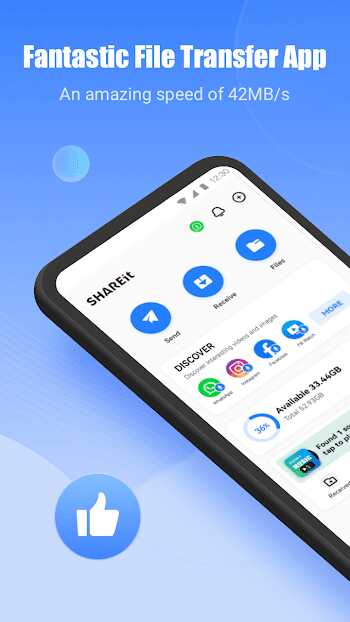
Instead of routing files through external servers, SHAREit APK creates a direct connection between nearby devices. Files move locally, which reduces transfer time and avoids common issues related to network speed or availability. This approach makes the app reliable even in environments where connectivity is limited or unstable.
At its core, SHAREit APK focuses on simplicity. You do not need advanced technical knowledge to use it. The interface is clear and action-based, allowing you to start sharing files within seconds. For many users, this balance between speed and ease of use is the main reason SHAREit APK becomes a daily utility rather than just another installed app.
High-Speed File Sharing Without Internet
This is where SHAREit APK delivers its strongest value. The ability to share files at high speed without any internet connection defines how the app works and why it continues to attract users worldwide. Instead of relying on external infrastructure, SHAREit APK prioritizes local performance and practical efficiency.
Below, each aspect of this core feature is explained clearly, using real-world examples to show how speed and offline sharing improve your daily experience.
How SHAREit Achieves High-Speed Transfers
SHAREit APK uses direct device-to-device connections to move files. When two devices connect, data travels locally instead of being uploaded to and downloaded from online servers. This removes unnecessary delays and allows transfers to start immediately.
Because the transfer happens nearby, speed depends mainly on device capability and distance rather than network conditions. When devices are close, files move smoothly and consistently. This design makes SHAREit APK especially useful when you need quick results without setup or preparation.
Faster Than Bluetooth and Traditional Methods
Traditional file sharing methods often slow you down. Bluetooth transfers usually struggle with large files and can take a long time to complete. USB transfers require cables and manual handling, which is not always convenient. Cloud-based sharing depends on internet speed and available storage.
SHAREit APK avoids these limitations by offering a wireless and cable-free solution that works locally. You can share multiple files at once without worrying about connection drops or upload limits. This flexibility makes the app more efficient than many traditional transfer options.
Advertisement
Advertisement
No Internet or Mobile Data Required
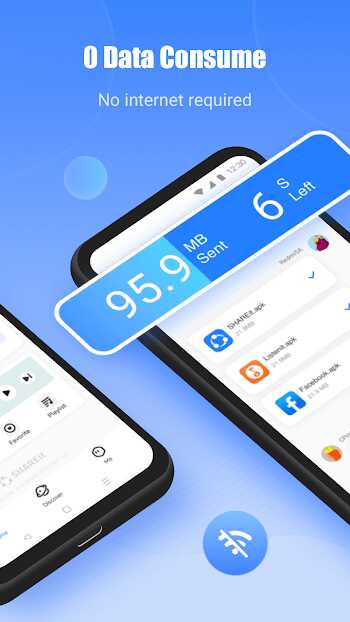
One of the biggest advantages of SHAREit APK is that it works completely offline. You do not need Wi-Fi, mobile data, or a hotspot to share files. This gives you freedom to transfer content anywhere, whether you are traveling, working in remote areas, or simply avoiding data usage.
By removing online dependency, the app helps you stay in control. You decide when and where files are shared, without relying on network availability. This makes SHAREit APK a practical choice for users who value independence and reliability.
Stable Offline Transfers for Large Files
Large files often cause problems with standard sharing methods. Videos, application packages, and full folders can fail midway due to unstable connections. SHAREit APK is designed to handle these situations more smoothly.
Because transfers occur locally, file size does not introduce the same level of risk. You can move large media files or multiple items at once without frequent interruptions. This stability is especially useful when sharing high-resolution videos or complete data sets.
Real-World Speed Benefits for Daily Use
Speed is not just a technical feature; it directly affects how you work and communicate. With SHAREit APK, files that once took minutes can now move in seconds. This saves time during meetings, group projects, or casual sharing with friends.
Faster transfers also reduce friction. You do not need to plan ahead or wait for slow processes to finish. When you need to send something, you simply do it, which keeps your workflow smooth and uninterrupted.
Why Speed and Offline Sharing Matter
Speed and offline sharing work together to give you more control. SHAREit APK allows you to share files instantly without preparation, accounts, or network access. This aligns with modern mobile behavior, where users expect tools to work immediately and reliably.
By combining high-speed transfers with offline functionality, SHAREit APK delivers a practical solution that supports flexibility, efficiency, and confidence in everyday file sharing.
Supported File Types and Sharing Scenarios
Beyond speed, SHAREit APK is built to handle different types of content and real-life sharing situations. Whether you are sending photos, videos, music, documents, or application files, the app adapts to your needs without requiring additional tools.
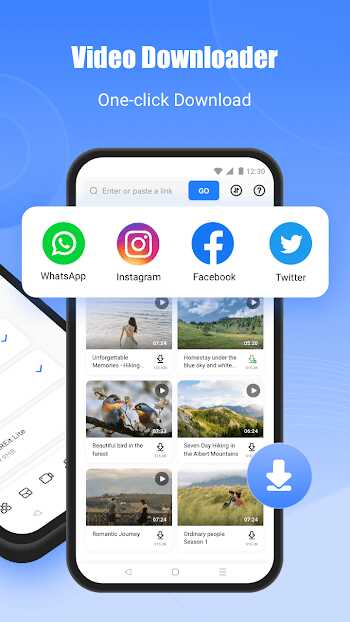
You can use SHAREit APK for one-to-one transfers or share files with multiple devices at the same time. This makes it suitable for personal use, study groups, and work-related exchanges. From quick media sharing to organized file distribution, the app fits naturally into many scenarios.
Phone Clone for Fast Device Migration
When you switch to a new phone, transferring data can feel overwhelming. SHAREit APK includes a phone clone feature that simplifies this process by allowing you to move files, applications, and media in a single flow.
Instead of transferring items one by one, you can migrate important content efficiently. This reduces setup time and helps ensure that nothing important is left behind during the transition to a new device.
Cross-Platform File Sharing
File sharing becomes more practical when it works across different devices. SHAREit APK supports transfers between Android phones, as well as sharing files from Android to other platforms such as computers or different mobile systems. This flexibility helps you move content without worrying about compatibility.
Advertisement
You do not need extra software or complicated setup to make cross-platform transfers work. The process remains simple and consistent, even when devices use different operating systems. For users who manage multiple devices daily, this cross-platform support reduces friction and saves time.
Built-In File Manager and Media Tools
Beyond file transfers, SHAREit APK includes built-in tools that help you manage and preview your content. You can browse folders, organize files, and view media directly within the app. This removes the need to switch between multiple applications just to handle basic tasks.
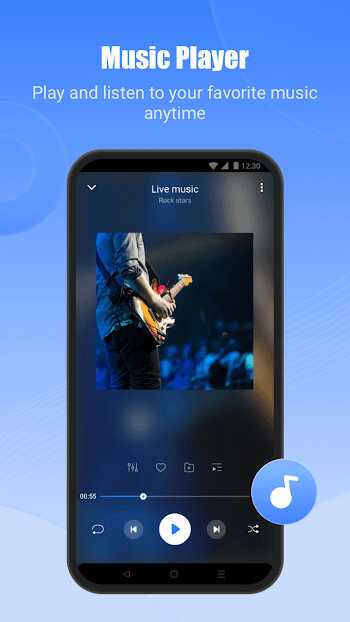
Media preview features allow you to check videos, music, or images before sharing them. This small detail improves usability, especially when dealing with large collections of files. By keeping file management and sharing in one place, SHAREit APK offers a more streamlined experience.
Security and Privacy Features
When sharing files, control over your data matters. SHAREit APK focuses on local transfers, which means files move directly between devices instead of passing through external servers. This approach helps reduce unnecessary exposure during the sharing process.
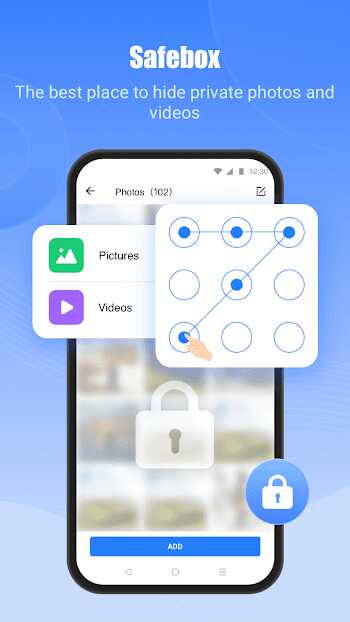
The app also offers options to manage private content, allowing you to separate sensitive files from general data. These features are designed to support responsible file sharing without adding complexity or requiring advanced configuration.
Why SHAREit APK Is Still a Top Choice
Many file-sharing apps appear and disappear, but SHAREit APK continues to remain relevant because it solves core problems effectively. It combines fast performance, offline functionality, and ease of use into a single tool that fits everyday needs.
Instead of adding unnecessary features, the app focuses on what matters most: reliable transfers, flexible usage, and a smooth experience. This focus helps SHAREit APK stay useful across different user groups and use cases.
Who Should Use SHAREit APK?
SHAREit APK is suitable for a wide range of users. If you frequently share files, handle large media, or switch between devices, the app offers a practical solution. It is also ideal if you prefer tools that work offline and help you avoid mobile data usage.
Students, professionals, and everyday users can all benefit from the app’s straightforward approach. You do not need special skills or preparation to get value from SHAREit APK; it works naturally as part of your daily routine.
SHAREit APK Compared to Other File Sharing Apps
Compared to traditional methods such as Bluetooth, USB cables, or cloud-based sharing, SHAREit APK offers greater flexibility. You can share files without physical connections, internet access, or online storage accounts.
This balance between speed and independence makes SHAREit APK a strong option for users who want efficient local transfers. It removes common limitations while keeping the sharing process simple and accessible.
Final Thoughts
SHAREit APK delivers a clear and practical solution for modern file sharing. By focusing on high-speed transfers, offline functionality, and ease of use, it supports how people actually move files today.
If you value speed, simplicity, and control, SHAREit APK fits naturally into your digital workflow. It allows you to share files when and where you need to, without unnecessary steps or dependencies.
FAQs SHAREit
SHAREit APK is used for high-speed file sharing between devices without requiring an internet connection or mobile data. It allows you to transfer photos, videos, music, documents, and apps directly through local device-to-device connections, making the process fast and convenient.
Yes, SHAREit APK works completely offline. It does not require internet access, mobile data, or a Wi-Fi hotspot. Files are shared through direct local connections, which makes the app reliable even in areas with limited or no network coverage.
SHAREit APK is well suited for transferring large files such as videos, application packages, and full folders. Because transfers happen locally, the process remains stable and efficient even with larger file sizes.
SHAREit APK supports file sharing between multiple device types, including phone-to-phone and phone-to-computer transfers. This cross-platform capability makes it easier to share files across different systems without using cables or cloud services.
Yes, SHAREit APK is designed with a simple and intuitive interface. You do not need technical knowledge to use it. Most file transfers can be completed in just a few steps, making it suitable for both new and experienced users.






Share Your Thoughts